Top 10 Zero Trust Solutions

The Apono Team
February 3, 2026

An engineer gets a notification at 2 a.m. because something in production is broken. They need database access right away. For many teams, that access is already sitting there. Standing permissions granted for a past need that no longer exists.
Credential abuse is still the most common way for a breach to start. It accounts for roughly 22% of initial attack paths, which is actually ahead of vulnerability exploitation at 20%. In many cases, attackers are not breaking in or exploiting a flaw. They are just using the access that already exists.
Zero trust solutions are often implemented as a login control for things like SSO or an updated VPN. This approach is useful, but incomplete. The real issue at hand is access after authentication. Your team needs access that is verified every time, scoped tightly, time-bound by default, and provable after the fact. That includes how privileged access is granted, approved, revoked, and audited by zero trust tools during everyday engineering work.
What are zero trust solutions?
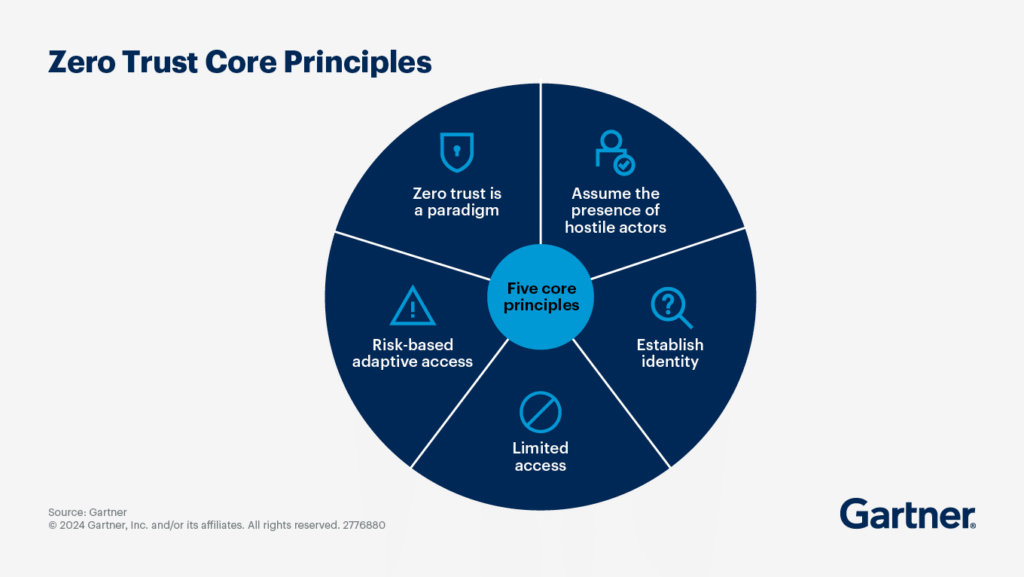
Zero trust solutions control how access is granted and used. Every request is checked against identity and policy before it is allowed, and that control extends to credentials, tokens, and keys typically handled by secrets management systems. Access is not assumed just because someone is on the right network or logged in earlier.
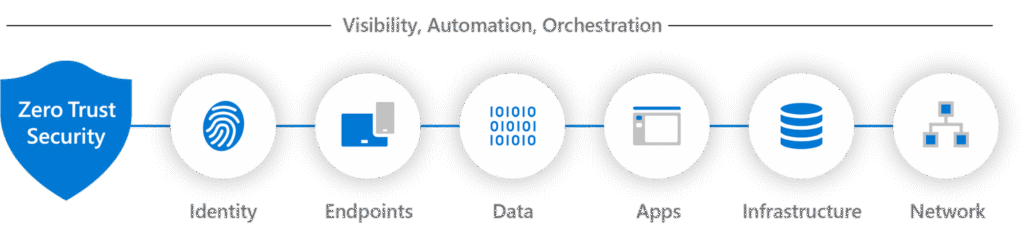
A strong zero trust architecture needs to cover all of the enforcement points. This coverage includes identity providers, endpoints, network connections, applications and APIs, data systems, and privileged access paths. If access is not controlled at those points, permissions tend to remain standing, and long-lived tokens persist.
Types of Zero Trust Solutions
Most zero trust platforms overlap with other categories. The key differentiator between tools is the enforcement point they control.
- Identity and access management tools like IAM, SSO, and MFA handle authentication and basic access checks, but they don’t control what access exists after login.
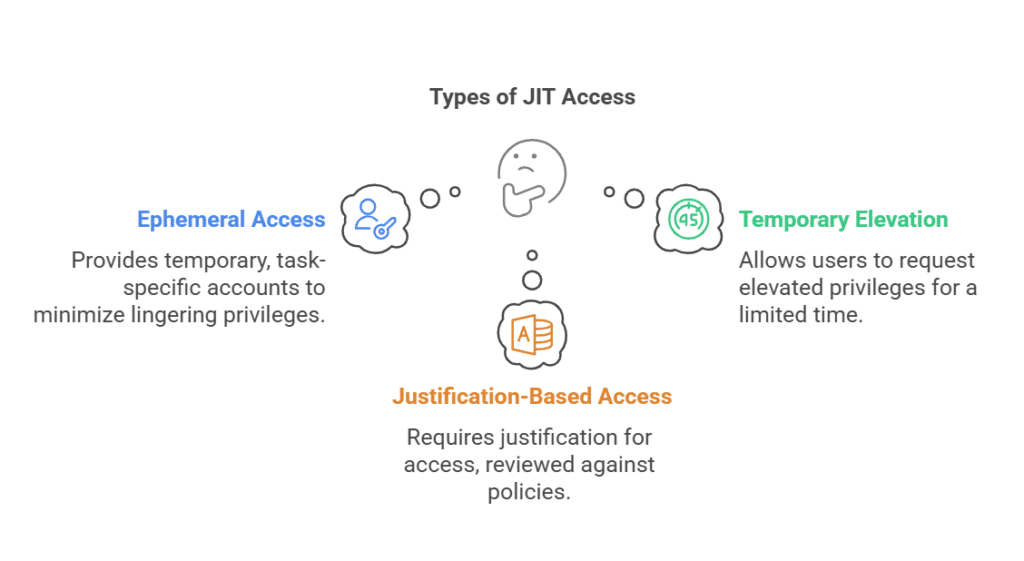
- Privileged access management and just-in-time access focus on reducing risk from powerful permissions. Standing access is replaced with time-bound permissions approved through policy.
- Endpoint posture and EDR check if an endpoint is behaving strangely. This occurs before and during access to avoid treating an infected machine as trusted just because the user authenticated.
- Secrets management, as poor secrets hygiene, is still a common zero trust failure point. These tools store and rotate credentials, tokens, and keys to reduce exposure from hardcoded secrets and long-lived credentials.
- API security tools enforce identity-aware authorization, usage policies, and behavioral controls.
- Identity threat detection and response watch behavior and privilege usage to detect abuse and lateral movement.
Benefits of Zero Trust Solutions
Reduced Blast Radius From Identity Compromise
When access is narrow and expires on its own, stolen credentials are only useful for a short time. This aligns closely with continuous threat exposure (CTEM) programs that focus on identifying and reducing exploitable access paths.
Elimination of Risky Standing Permissions
Instead of keeping permissions around just in case they’re needed, access exists only when it’s being actively used. Once the engineer is done with their work, it disappears.
Stronger Protection for Cloud and Data-Heavy Environments
When working with systems, roles, and data that change constantly, zero trust holds up far better than static network controls.
Improved Audit Readiness and Compliance
Time-limited access with approvals and logs leaves clear documentation. You can see all access events without having to reconstruct history from tickets.
Better Developer Experience
When access is self-serve and temporary, engineers can get what they need to work quickly without accumulating permanent risk.
Key Features to Look For in a Zero Trust Solution
- Strong identity verification should cover both people and non-human identities, including service accounts and automation. It needs to work beyond login and hold up during real access decisions.
- Access controls should be granular and least-privileged by default. Broad roles and long-lived permissions are hard to reason about and even harder to unravel later.
- Just-in-time, time-bound access keeps risk contained. Access should exist only for the window it is needed, then expire automatically without manual cleanup.
- Approval workflows should fit into existing DevOps tools like Slack, Teams, or CLI, so access requests don’t turn into ticket backlogs.
- Audit logs need to have searchable context, including what was accessed, when, and why. On-call access flows should not create long-term privilege creep.
Top 10 Zero Trust Solutions
Not every solution below markets itself as “zero trust.” Some of the solutions handle identity-aware access or connectivity. Others focus on things like policy, credentials, or supply-chain trust. But they all contribute in some way to access enforcement.
1. Apono
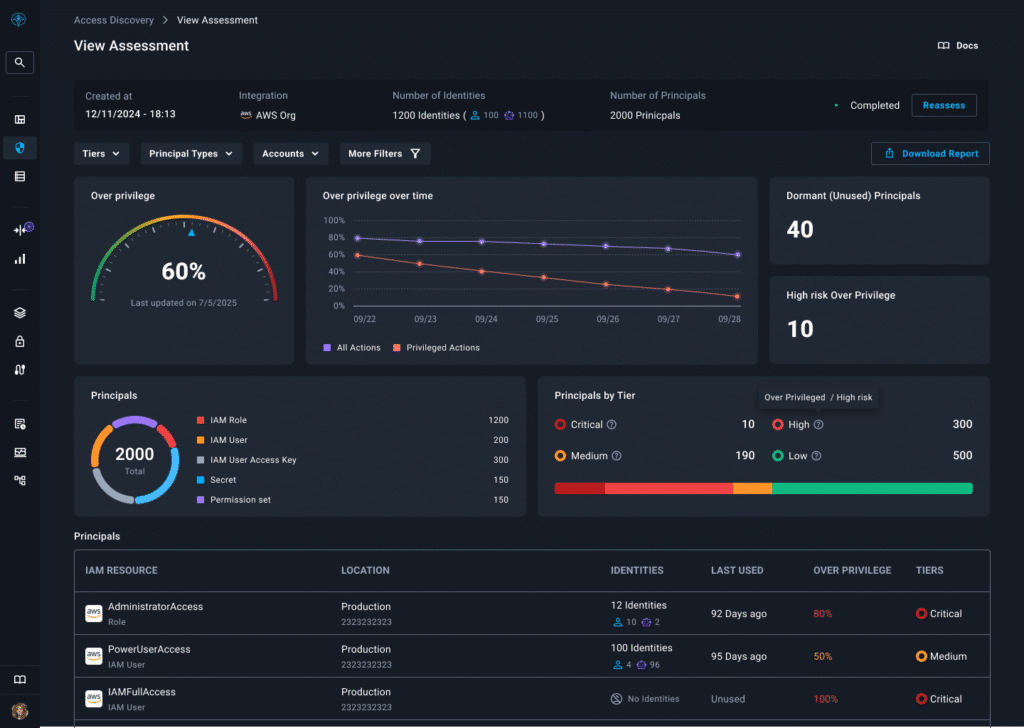
Apono replaces risky standing permissions with automated, just-in-time (JIT), least-privilege access across cloud infrastructure, SaaS tools, databases, and internal applications. Engineers request access through Slack, Microsoft Teams, or CLI, with policy-based approvals, auto-expiring permissions, and full audit context captured for every request.
The platform deploys in under ~15 minutes, integrates natively with major cloud providers, and uses an API-driven (not proxy-based) model to enforce access directly at the resource level. Built-in break-glass and on-call access flows let teams respond to incidents quickly without creating long-term privilege creep.
Apono also helps teams discover over-privileged human and non-human identities, surface risky access paths, and progressively move identities toward just-in-time and just-enough access models over time.
Best for
Cloud-native SaaS organizations and DevOps or platform teams that need to eliminate standing permissions while keeping engineering workflows fast and self-serve.
Pricing
Pricing available on request.
2. NetBird
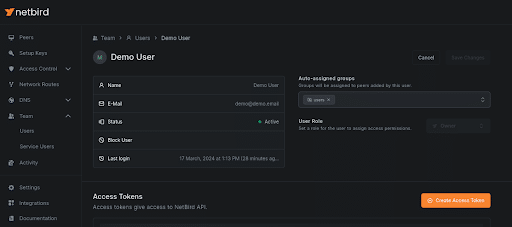
NetBird uses a WireGuard-based mesh network in which devices authenticate via an identity provider rather than a central VPN. Peers discover each other automatically and correct using encrypted tunnels. A lightweight control plane is used to apply rules per user or device.
Best for
Teams looking to replace legacy VPNs with lightweight identity-based access.
Pricing
Free tier available. Paid plans are offered for advanced features and scaling.
3. Ockam

Secure service-to-service connections based on cryptographic identity instead of IP addresses. With Ockam, connections are encrypted, and keys are rotated automatically. Services can connect without opening ports or sharing credentials.
Best for
Teams securing service-to-service or cross-environment communication in cloud and hybrid architectures.
Pricing
Open source.
4. Sigstore Cosign

Signs container images at build time and verifies them before deployment using cryptographic identity. Uses keyless signing tied to CI identities, keeps signatures in the registry, and stops unsigned or changed artifacts from moving further down the pipeline.
Best for
Teams implementing zero trust principles in software supply chains.
Pricing
Open source.
5. OpenNHP
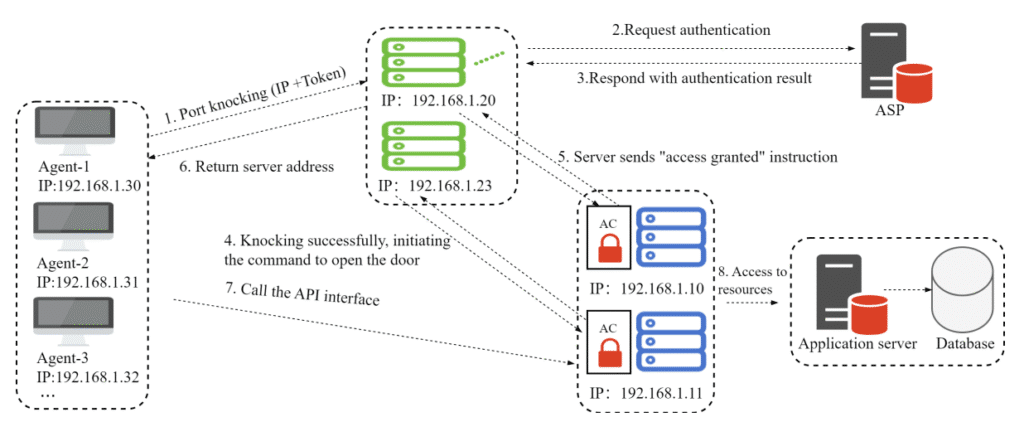
OpenNHP prevents scanning and discovery by default, encrypts traffic end to end, and only makes resources reachable when identity and policy checks pass.
Best for
Organizations focused on minimizing the attack surface at the network discovery level.
Pricing
Open source.
6. HashiCorp Boundary
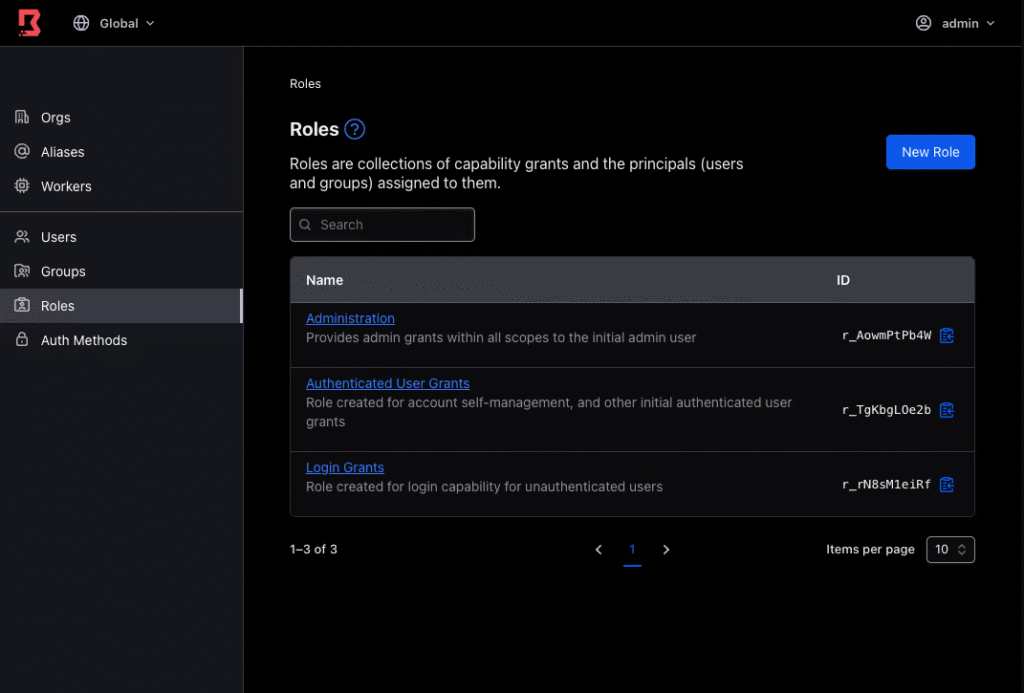
Connects users to infrastructure without exposing credentials or network access. Sessions are authorized at connection time, targets resolve dynamically, and activity is logged centrally, so secrets never need to live in shells, config files, or local environments.
Best for
Teams centralizing infrastructure access across environments while avoiding shared credentials.
Pricing
Usage-based pricing and custom enterprise pricing is available.
7. Open Policy Agent

Evaluates access decisions in real time using shared, declarative policies. The same rules can be applied across APIs, Kubernetes, CI pipelines, and services, keeping authorization logic out of application code and consistent across systems. OPA helps prevent cloud native attacks that exploit inconsistent or overly permissive authorization logic across distributed systems.
Best for
Teams that want to centralize authorization logic instead of rebuilding it in every service.
Pricing
Open source.
8. OpenZiti
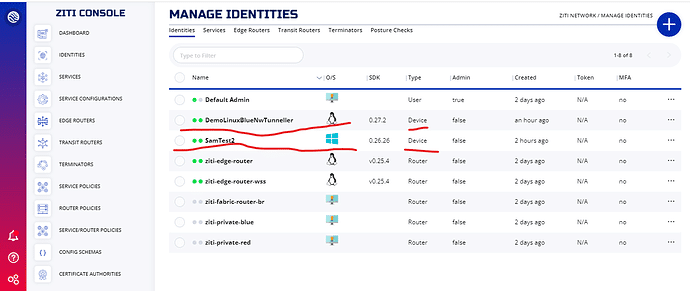
Pushes access control into the application layer. Services connect through identity-aware overlays with no inbound ports or exposed IPs. This removes reliance on perimeter firewalls and traditional network trust.
Best for
Teams designing zero trust architectures from the application layer outward.
Pricing
Open source.
9. Pomerium
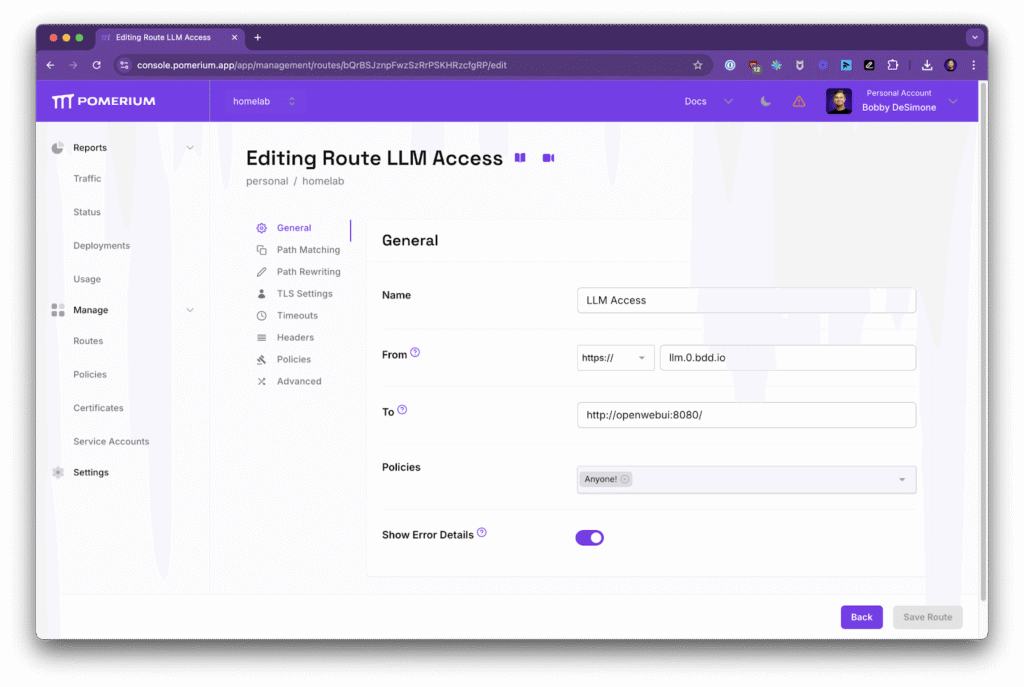
Sits in front of internal web applications and checks access on every request. Uses identity provider context and policy rules, keeps sessions short-lived, and logs each request so teams can see exactly who accessed which app and when.
Best for
Organizations protecting internal apps and dashboards.
Pricing
Free and paid tiers. Starts at $7/mo for business users.
10. Pangolin

Provides tools to build private network connections that require identity checks first. Services are not exposed on the network. Connections are encrypted, authenticated on both sides, and only exist while access is approved.
Best for
Teams experimenting with custom zero trust networking components.
Pricing
Free tier available. Extra features start at $15/mo.
Apply Zero Trust to Access with Apono
Zero trust is not a product you buy. It is a set of controls you operationalize. The teams that succeed focus less on perimeter tools and more on how access is granted, used, and removed across cloud infrastructure, applications, and data. They reduce standing permissions. They verify continuously. And they audit by default.
Apono applies zero trust to production access by making permissions temporary. Permissions are granted through policies and leave a full audit trail. Engineers request access via Slack or Microsoft Teams, and access is automatically revoked when they’re done.
If you’re evaluating how different platforms approach privileged access within a zero trust strategy, the details matter, especially around enforcement, scope, and operational fit for modern DevOps teams.
Download the 2026 Buyer’s Guide: Privileged Access Management Platforms to understand what to look for, which tradeoffs matter, and how teams compare modern PAM solutions before committing to a platform.
Book a live Apono demo to see how modern DevOps teams operationalize zero trust without slowing engineers down.